

Introduction
Integrating AI with Sitecore can enhance user experiences, automate responses, and provide intelligent recommendations. In this blog, we will explore how to integrate a chatbot powered by a locally hosted DeepSeek LLaMA model with a Sitecore-based Demo Electronics E-Shop.
1. Setup Sitecore Instance with Demo Electronics E-Shop
Before integrating AI, we need a running Sitecore instance:
- Install Sitecore: Set up a Sitecore XM instance with SXA.
- Demo Electronics E-Shop: Structure the content with categories for Mobiles and Laptops.
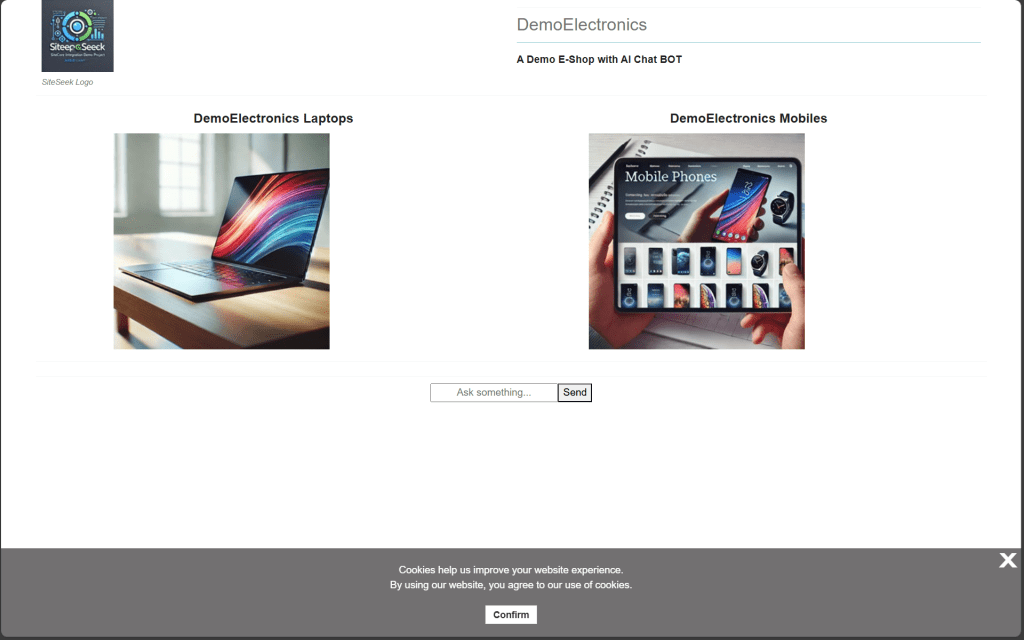
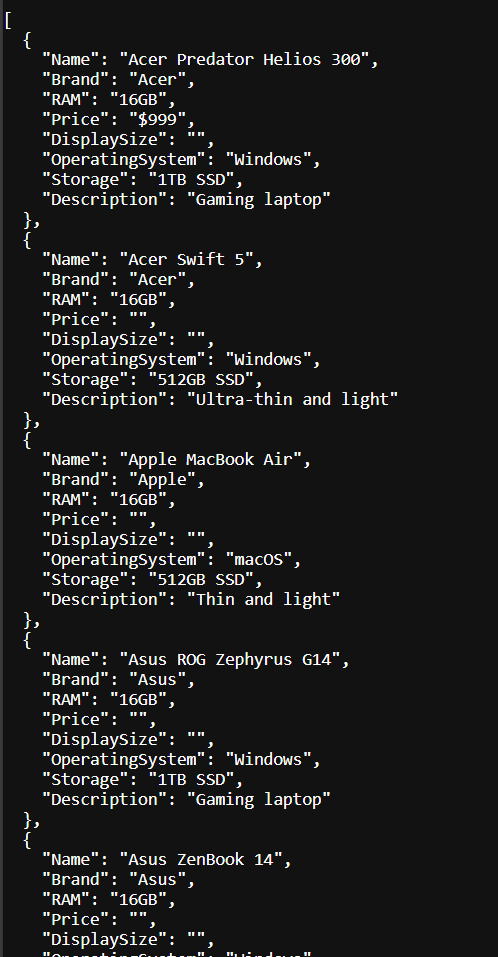
- Expose Data via Sitecore API: Ensure products and categories are accessible via Sitecore API.
2. DeepSeek Model Setup
The chatbot will leverage the DeepSeek LLaMA model for AI-driven responses. Follow these steps:
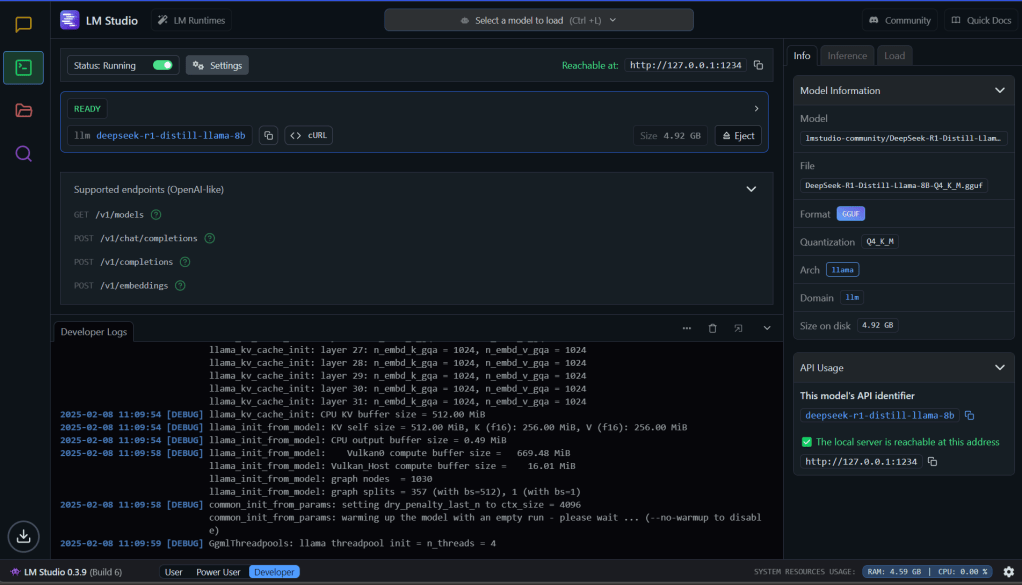
- Host DeepSeek Locally: Use LM Studio to host DeepSeek-R1-Distill-LLaMA-8B (4-bit quantized) on a local machine.
- Expose API Endpoint: Configure LM Studio to allow the chatbot to send queries to DeepSeek.
3. Chatbot Integration in Sitecore
To enable AI-driven conversations:
- Create a Chatbot Component: Develop an SXA rendering for the chatbot interface.
- UI Customization: Ensure a seamless and interactive experience within the Sitecore-powered website.
For this Demo Project
I have injected scripts into the head placeholder using SXA HTML Code snippet
https://unpkg.com/react@17/umd/react.development.js
https://unpkg.com/react-dom@17/umd/react-dom.development.js
https://cdn.tailwindcss.com

/scripts/chatbot.js
Another SXA HTML Code snippet for the Div tag into footer placeholder <!-- Chatbot container --> <div id="chatbot"></div>
4. AI-Powered Chatbot Workflow
Once integrated, the chatbot functions as follows:
- User Query: The chatbot captures the user’s question.
- Fetch Sitecore Data: Relevant product details are retrieved via the Sitecore API.
- Query DeepSeek: The chatbot sends user prompts and Sitecore data context to the locally hosted DeepSeek model.
- Generate AI Response: DeepSeek returns intelligent completions.
- Display Results: The chatbot presents the AI-generated response to the user.
Script calling Sitecore API Controller, passing users query/prompt

const sendMessage = async () => {
        if (!query.trim()) return;

        const newMessages = [...messages, { role: "user", content: query }];
        setMessages(newMessages);
        setQuery("");

        try {
            const response = await fetch("https://demoelectronicscm/api/chatbot/ask", {
                method: "POST",
                headers: { "Content-Type": "application/json" },
                body: JSON.stringify({ query }),
            });
            const data = await response.json();
            setMessages([...newMessages, { role: "bot", content: data.response }]);
        } catch (error) {
            console.error("Error fetching chatbot response:", error);
        }
    };
Controller mediating users prompt to DeepSeek Model. Return Model Completions/Response to Chat UI
public ActionResult Ask(ChatRequest request)
{
    if (request == null || string.IsNullOrEmpty(request.Query))
    {
        return new HttpStatusCodeResult(HttpStatusCode.BadRequest, "Invalid request");
    }

    //Get Sitecore exposed API data
    string sitecoreData = FetchSitecoreData();
    if (string.IsNullOrEmpty(sitecoreData))
    {
        return new HttpStatusCodeResult(HttpStatusCode.InternalServerError, "Error fetching Sitecore data");
    }

    string prompt = $"Here is the product catalog:\n{sitecoreData}\n\nUser Query: {request.Query}\nAnswer accordingly.";
    string aiResponse = QueryDeepSeek(prompt);

    // For a successful response with JSON:
    return Json(new { response = aiResponse }, JsonRequestBehavior.AllowGet); // Important: AllowGet for POST requests

}

private string FetchSitecoreData()
{
    using (WebClient client = new WebClient())
    {
        client.Headers[HttpRequestHeader.Accept] = "application/json";
        try
        {
            string devicesData = client.DownloadString(MobilesApiUrl);
            devicesData += client.DownloadString(LaptopsApiUrl);
            return devicesData;
        }
        catch (Exception ex)
        {
            return null;
        }
    }
}

private string QueryDeepSeek(string prompt)
{
    var request = WebRequest.Create(DeepSeekUrl);
    request.Method = "POST";
    request.ContentType = "application/json";
    request.Timeout = 1000000; // Set timeout to 16.6 minutes (1000,000 milliseconds)

    var payload = new
    {
        model = "deepseek-ai/deepseek-r1-8b",
        messages = new[] { new { role = "user", content = prompt } },
        prompt = prompt,
        temperature = 0.7
    };

    string jsonPayload = new JavaScriptSerializer().Serialize(payload);
    byte[] byteArray = Encoding.UTF8.GetBytes(jsonPayload);

    using (var dataStream = request.GetRequestStream())
    {
        dataStream.Write(byteArray, 0, byteArray.Length);
    }

    using (var response = request.GetResponse())
    using (var reader = new StreamReader(response.GetResponseStream()))
    {
        string responseText = reader.ReadToEnd();
        dynamic result = new JavaScriptSerializer().Deserialize<dynamic>(responseText);
        return result["choices"][0]["text"];
    }
}
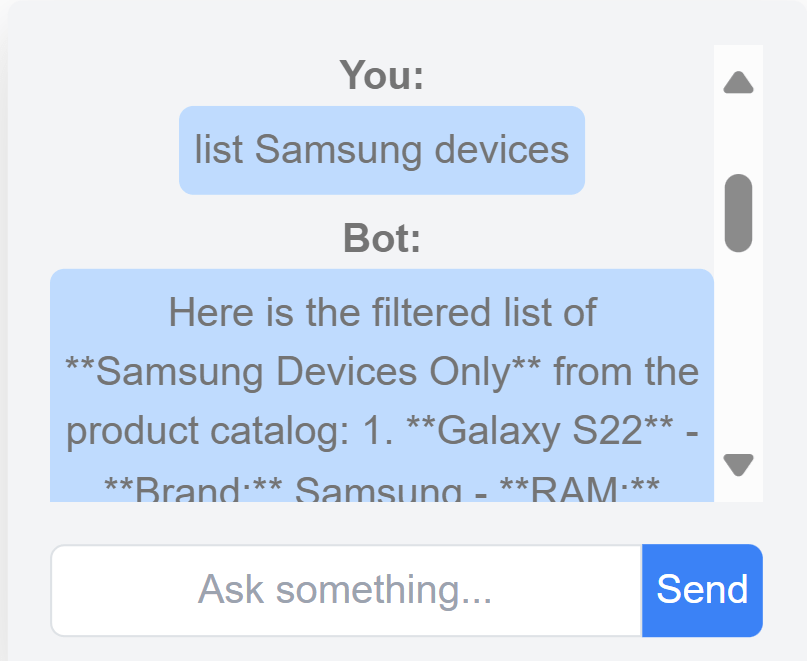
Chat Results:
Lessons Learnt
- Results are pretty good with detailed responses.
- Running “deepseek-r1-8b” model on a system with 16GB RAM, i7 vPro processor, and no GPU is extremely slow.
- Each prompt response took close to 10 minutes.
- Just like the evolution of CPU servers to portable laptops/mobiles, AI models are becoming more portable.
- This opens numerous opportunities for the corporate world.
- Very soon, we can expect chatbot agents to be everywhere.
What We Can Try More
- Performance Metrics: Experiment with different models to analyze accuracy, speed, cost, privacy, policies, and security.
- Cloud vs Local Models: While this blog focuses on local models, exploring corporate/vendor-hosted models can yield faster and more accurate results.
- Integration with Sitecore CMS: Extend chatbot capabilities for content authoring within Sitecore.
- AI-Driven Search: Enhance search functionality by retrieving results from AI models instead of traditional search engines.
Conclusion
This integration demonstrates how AI can seamlessly enhance Sitecore-powered digital experiences. By leveraging a locally hosted DeepSeek model, businesses can ensure data privacy while delivering intelligent user interactions.
Stay tuned for more insights and performance comparisons!
References
- https://youtu.be/r3TpcHebtxM?si=2tYhB-BK2t2Tzpqv : DeepSeek Local setup
- Various GPT Prompts, like generated Logo, site images 👌👌
 Vikrams Technology Blog
Nice blog. Well written and very much useful for techie and developers.
LikeLiked by 1 person