

Have you ever come across the error “Could not find configuration node”? Like following error page?
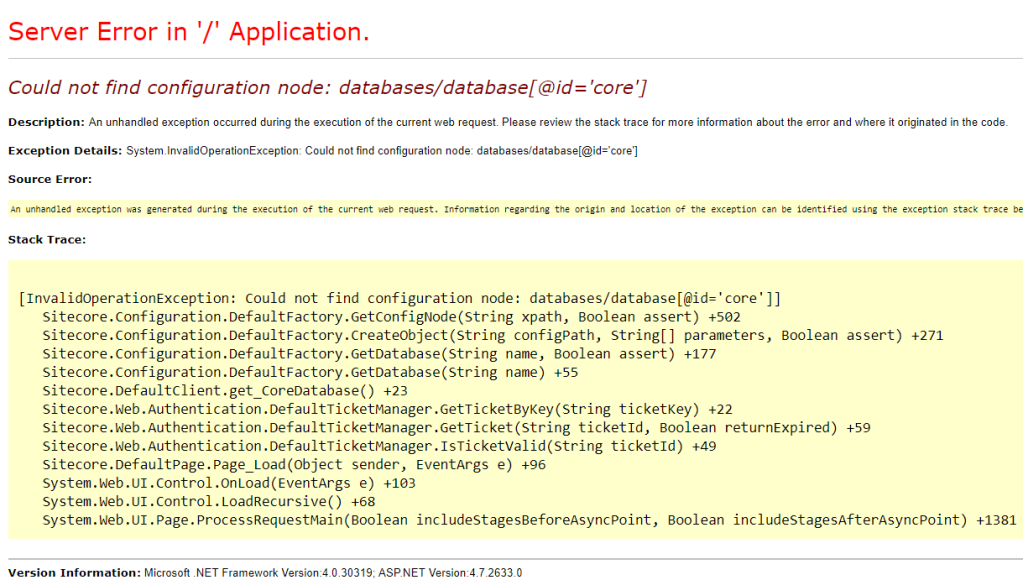
If yes most probably your Site web.config been messed up.
One of the popular reasons: In your solution one or more project’s web.config file is replacing the website default web.config files.
And that could be because your project web.config file has properties other than the following.
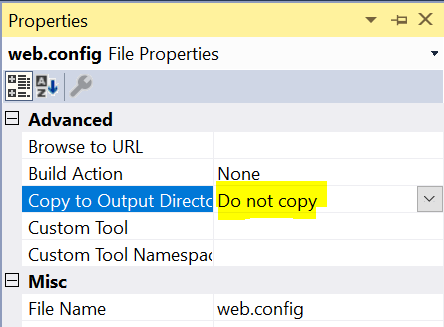
Solution:
If your website web.config, does not have any custom settings(have not changed the default file): copy it from default Sitecore instance(Of course from the same Sitecore version). Your site (CMS) should be loading or atleast “Could not find configuration node” issue should be gone.
In the worst case your web.site has custom settings which is been replaced by new project web.config file. You get the needed web.config from your fellow developer or higher environment instance where you have the necessary changes.
More importantly identify the web.config file from your solution which does not have “Do not Copy” setting and change it. This avoids site(CM) error from future build(if you have auto deployment settings)/publish from that project.
Source solution: https://blog.ryanbailey.co.nz/2016/04/sitecore-could-not-find-configuration.html
 Vikrams Technology Blog